
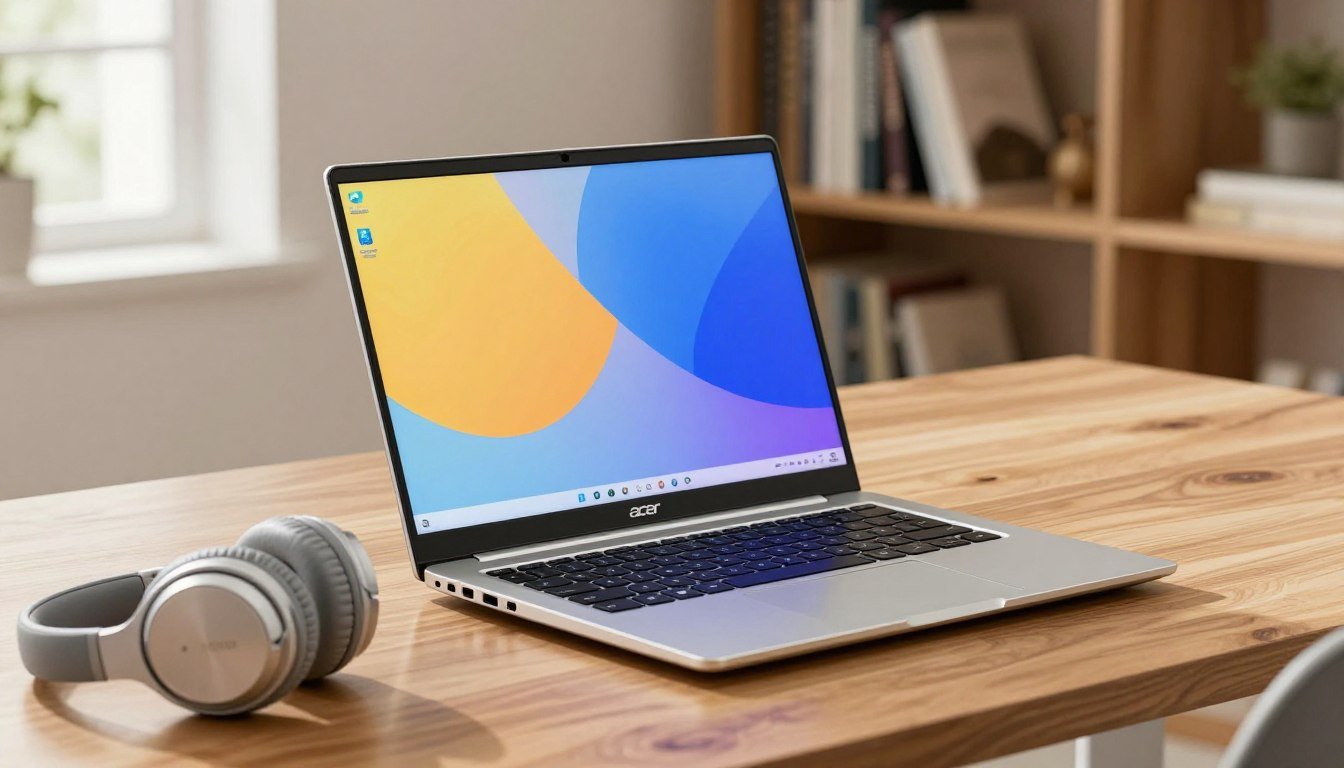
Top 5 Best-Selling Laptops for Students in the USA/UK.
Choosing the right technology is a vital step toward academic success in today’s fast-paced educational world. Whether you are attending lectures in the United States or the United Kingdom, having a reliable device can change how you manage your daily workload.
Finding the best laptop for students does not have to be a stressful experience. We want to help you discover machines that offer the perfect balance between affordable pricing and high-level performance.
 Investing in quality hardware will significantly improve your study habits and long-term results. Our guide highlights the top Best-Selling Laptops that provide the speed and durability you need to excel in your classes. Let’s explore these options together to find your perfect academic companion.
Key Takeaways
- Reliable technology is essential for modern academic achievement.
- Finding a balance between cost and performance is key for students.
- The right device can boost your daily productivity and study habits.
- Our list focuses on top-rated hardware available in the USA and UK.
- Quality tools help ensure better long-term educational outcomes.
Understanding the Modern Student Laptop Market
The landscape of student technology is changing faster than ever before. As academic requirements evolve, the demand for student laptops that balance power and portability has reached an all-time high. Manufacturers are now focusing heavily on creating devices that cater to the busy lifestyle of today’s learners.
The most significant trend in the industry is the shift toward lightweight laptops. Students frequently move between lecture halls, coffee shops, and libraries, making weight a primary concern. A heavy device can quickly become a burden during a long day on campus, which is why slim profiles are now a standard expectation.
This focus on portable computing allows students to stay productive regardless of their location. Modern hardware designs prioritize long battery life and fast processing speeds to ensure that academic tasks are completed without interruption. By analyzing current market demands, we can see that manufacturers are moving away from bulky designs to favor sleek, durable materials.
The following table highlights the essential features that define the current market for academic devices:
| Feature Category | Standard Expectation | Why It Matters |
| Weight | Under 3 lbs | Essential for daily campus mobility |
| Battery Life | 8+ Hours | Supports full-day lecture schedules |
| Build Quality | Aluminum/Magnesium | Ensures durability in backpacks |
| Performance | Modern SSD/RAM | Handles multitasking for research |
Ultimately, the market for student laptops is driven by the need for efficiency. When you invest in lightweight laptops, you are not just buying a computer; you are securing a reliable partner for your educational journey. Understanding these trends in portable computing helps you make a smarter choice for your specific academic needs.
Key Factors to Consider Before Buying a Student Laptop
Before you head to the checkout, it is vital to understand the core specifications that define high-quality student laptops. Choosing the right device requires a careful look at your specific academic needs, as a computer is the most important tool in your educational arsenal.
When searching for the ideal laptop for college, you must prioritize performance that lasts. You should aim for a machine that balances your immediate budget with the long-term utility required to survive your entire degree program.
"The best technology is the one that disappears into the background, allowing you to focus entirely on your creative and academic goals."
To make an informed choice, evaluate these three critical hardware components:
- Processor (CPU): Look for at least an Intel Core i5 or AMD Ryzen 5 to ensure smooth multitasking.
- Memory (RAM): 8GB is the absolute minimum, but 16GB is highly recommended for future-proofing.
- Storage: A 256GB or 512GB SSD provides the speed and space necessary for heavy document loads.
The following table outlines the recommended specifications to help you narrow down your search for a reliable laptop for college:
| Component | Entry Level | Recommended |
| Processor | Intel i3 / Ryzen 3 | Intel i5 / Ryzen 5 |
| RAM | 8GB | 16GB |
| Storage | 256GB SSD | 512GB SSD |
Ultimately, investing in quality student laptops saves you from the frustration of slow performance during finals week. By focusing on these technical pillars, you ensure your hardware remains a dependable partner throughout your academic career.
Apple MacBook Air M2
With its advanced silicon architecture, the MacBook Air M2 has redefined what users expect from a portable machine. It serves as a bridge between professional-grade power and the daily needs of a busy student.
Performance and Portability for Academics
Students often find themselves juggling multiple research tabs, creative software, and video calls simultaneously. This device excels as one of the most reliable high-performance laptops available, ensuring that your workflow remains smooth even during intense study sessions.
The MacBook Air M2 is widely recognized for its ultra-thin profile and silent operation. It is a favorite among those who prioritize lightweight laptops that can easily slide into a backpack without adding unnecessary bulk.
Pros
- Exceptional battery life that lasts through long lecture days.
- A stunning Liquid Retina display perfect for detailed visual work.
- Silent, fanless design that keeps your study environment quiet.
Cons
- The starting price can be higher compared to other affordable laptops on the market.
- Limited port selection may require students to invest in additional adapters.
Features
This model features the powerful M2 chip, which provides a significant boost in speed for demanding applications. It also includes the convenient MagSafe charging port, freeing up your other ports for essential accessories. Reliability is at the core of this machine, making it a smart investment for your academic journey.
Dell XPS 13
The Dell XPS 13 has earned its reputation as a powerhouse for students who demand excellence. As one of the most popular high-performance laptops on the market, it bridges the gap between sleek design and heavy-duty computing power.
The Premium Windows Choice for Productivity
Students often require a device that can handle complex research, multitasking, and creative projects without slowing down. The Dell XPS 13 provides a refined experience that caters specifically to those needs.
Overview
This machine is widely recognized for its stunning build quality and compact footprint. It fits easily into any backpack, making it an ideal companion for long days on campus.
"The XPS 13 is a masterclass in engineering, proving that you do not need to sacrifice power for portability."
Pros
- Exceptional display quality with vibrant colors and sharp resolution.
- Ultra-portable chassis that is lightweight and durable.
- Fast processing speeds that boost academic productivity during finals week.
Cons
- Limited port selection often requires carrying a dongle or hub.
- The premium price point may be a hurdle for students on a strict budget.
- Integrated graphics may struggle with high-end gaming or heavy 3D rendering.
Features
The device comes equipped with the latest Intel processors and high-speed RAM to ensure smooth operation. Below is a summary of how this model compares to standard student machines.
| Feature | Dell XPS 13 | Standard Laptop |
| Build Material | CNC Aluminum | Plastic/Composite |
| Display | InfinityEdge | Standard Bezel |
| Weight | Under 2.8 lbs | 3.5+ lbs |
| Performance | High-Tier | Entry-Level |
By choosing the Dell XPS 13, students invest in a reliable tool that supports their long-term educational goals. It remains a top-tier choice for those who value efficiency and premium hardware.
Microsoft Surface Laptop 5
When it comes to blending sleek design with high-level performance, few devices hit the mark like the Microsoft Surface Laptop 5. This machine is crafted for those who refuse to compromise on aesthetics while managing a heavy school schedule.
Versatility and Design for Creative Students
Creative students often find that standard laptops lack the tactile feedback or visual clarity needed for design work. The Microsoft Surface Laptop 5 bridges this gap by offering a stunning touch-screen interface that makes navigating complex creative software feel natural and intuitive.
"Design is not just what it looks like and feels like. Design is how it works." — Steve Jobs
Beyond its looks, the keyboard ergonomics are specifically engineered to support long hours of typing. This focus on comfort directly enhances academic productivity, allowing you to focus on your projects rather than physical fatigue.
Overview
The device features a premium aluminum chassis that feels both sturdy and lightweight. It is designed to be a reliable companion for students who move between lecture halls, libraries, and coffee shops throughout the day.
Pros
- Vibrant PixelSense display that is perfect for digital art and photo editing.
- Industry-leading keyboard and trackpad for a comfortable typing experience.
- Sleek, professional aesthetic that stands out in any classroom.
Cons
- Limited port selection may require students to carry extra dongles.
- The premium price point might be a hurdle for those on a strict budget.
Features
Equipped with the latest processors, this laptop ensures that academic productivity remains high even when running multiple applications. The touch-screen functionality provides a unique way to interact with your notes and creative drafts, making it a versatile tool for any major.
Acer Swift Go 14
The Acer Swift Go 14 stands out as a top contender for students seeking high performance without a high price tag. It represents one of the most affordable laptops currently available for those who need a reliable daily driver for their studies.
Budget-Friendly Powerhouse for Daily Tasks
Students often require a machine that can handle multitasking, research, and document creation without slowing down. The Acer Swift Go 14 delivers exactly that by balancing processing power with a lightweight design that fits easily into any backpack.
 Overview
This model is designed for users who prioritize efficiency and value. It features modern processors that easily manage web browsing, streaming, and office applications, making it a perfect entry point for academic success.
Pros
- Excellent portability for students moving between classes.
- Vibrant display quality that is rare in this price range.
- Fast charging capabilities to keep you powered throughout the day.
Cons
While it is a fantastic piece of budget-friendly tech, there are some trade-offs to consider. The chassis uses more plastic than premium models, and the internal components offer limited room for future hardware upgrades.
Features
The device comes equipped with a variety of ports, ensuring you can connect to projectors or external drives without needing extra adapters. Its long-lasting battery life ensures that you can finish your assignments even when you are away from a power outlet for several hours.
Choosing affordable laptops like this one allows students to invest their remaining funds into other essential academic tools. By focusing on core performance, the Acer Swift Go 14 remains a smart choice for any student looking for reliable budget-friendly tech.
Lenovo IdeaPad Slim 3
The Lenovo IdeaPad Slim 3 stands out as a top contender for students who need a dependable machine without breaking the bank. It is specifically engineered to handle the daily rigors of academic life while remaining accessible to those managing limited funds.
Reliability and Value for Tight Budgets
When you are balancing tuition and living expenses, finding budget-friendly tech that does not compromise on quality is essential. This laptop offers a practical solution for students who prioritize functionality over flashy, expensive hardware. It is widely considered one of the most reliable student devices currently available for basic research and writing tasks.
Overview
The Lenovo IdeaPad Slim 3 features a lightweight chassis that makes it easy to carry between lecture halls and the library. Its minimalist design hides a capable internal system designed for word processing, web browsing, and video conferencing. It is a straightforward tool built for students who need to get their work done efficiently.
Pros
- Affordable pricing that fits most student budgets.
- Excellent keyboard comfort for long typing sessions.
- Highly portable design for campus mobility.
Cons
- The display brightness can be limited in direct sunlight.
- Storage capacity may require cloud solutions for heavy users.
- Not intended for high-end gaming or intensive video editing.
Features
This model comes equipped with a responsive processor that handles multitasking with ease. You will find that the battery life is sufficient to get you through a full day of classes without needing a charger. As one of the most reliable student devices, it includes essential ports for connecting external drives and projectors, making it a piece of budget-friendly tech that truly delivers on its promises.
Analyzing the Best-Selling Laptops for Students
When you look at the current market, it becomes clear why certain models consistently top the charts for students. These Best-Selling Laptops have earned their reputation by solving common academic pain points like battery longevity and portability. By examining these devices together, we can see a clear pattern in what today's learners prioritize.
Finding the best laptop for students often comes down to matching specific hardware strengths with your unique major. While some users need raw power for video editing or coding, others require a lightweight frame for moving between lecture halls. Our analysis shows that the most successful models bridge this gap by offering a versatile user experience.
Reliability remains the most critical factor for those who cannot afford downtime during finals week. The most Reliable student devices are those that combine high-quality build materials with efficient software optimization. This ensures that your machine remains fast and responsive throughout your entire degree program.
To help you make a final decision, we have organized the key features of these top contenders into a simple comparison. This table highlights why these machines are considered the best laptop for students in the current academic year.
| Model | Primary Strength | Best For | Reliability Rating |
| MacBook Air M2 | Battery Life | General Studies | High |
| Dell XPS 13 | Display Quality | Creative Work | High |
| Surface Laptop 5 | Touchscreen | Note-taking | Medium-High |
| Acer Swift Go 14 | Portability | Budget Users | Medium |
| Lenovo IdeaPad Slim 3 | Value | Tight Budgets | Medium |
How Operating Systems Impact Your Study Workflow
When you pick a laptop for college, the operating system you choose will shape your daily productivity. Your device acts as the digital hub for your research, writing, and collaboration. Selecting the right platform ensures that your hardware works in harmony with your academic goals.
The debate regarding Windows vs Mac for students often comes down to specific software needs and personal preference. macOS is widely praised for its seamless integration with mobile devices and its intuitive interface. Many creative students prefer this environment for media projects and design work.
 On the other hand, Windows offers unmatched flexibility and a vast library of compatible software. If your coursework requires specialized engineering or data analysis tools, Windows is often the standard choice. This versatility helps maintain a consistent student study workflow regardless of the complexity of your assignments.
Technical frustrations often arise when software does not play well with your operating system. By choosing a platform that aligns with your major, you can avoid unnecessary compatibility hurdles. The following table highlights the core differences to help you make an informed decision.
| Feature | macOS | Windows |
| Software Compatibility | Optimized for creative suites | Broadest range of academic apps |
| User Interface | Consistent and intuitive | Highly customizable |
| Hardware Variety | Premium Apple ecosystem | Wide range of price points |
| Best For | Design and liberal arts | STEM and general productivity |
Balancing Battery Life and Processing Power
When you are constantly moving between lecture halls, your laptop battery life becomes just as important as its processing speed. Many students find themselves caught in a difficult choice between high-performance hardware and the need for all-day endurance. Finding the right balance is essential for staying productive without being tethered to a wall outlet.
Modern portable computing has made significant strides in efficiency, but physics still plays a role. High-end processors that handle complex tasks like video editing or data analysis naturally consume more energy. If your daily routine involves heavy multitasking, you must prioritize a device that manages power consumption intelligently.
To extend your laptop battery life during long study sessions, consider adjusting your display brightness and closing background applications. Most operating systems offer a power-saver mode that limits background processes to keep you running longer. These small changes can make a massive difference when you are working in the library for hours.
Understanding the demands of your coursework is the best way to optimize your portable computing experience. If you are mostly writing papers and browsing the web, you do not need a workstation-grade chip that drains your battery in two hours. Choosing a balanced machine ensures you have enough power for your tasks while maintaining the freedom to work anywhere.
| Usage Profile | Performance Need | Battery Priority |
| Basic Research | Low | High |
| Creative Design | High | Medium |
| Data Science | Very High | Low |
| General Studies | Medium | High |
Essential Accessories to Complement Your Laptop
Investing in the right laptop accessories can transform your daily academic routine into a seamless experience. While your computer handles the heavy lifting, specific add-ons are essential for long-term comfort and protection during intense study sessions.
A high-quality ergonomic mouse is a game-changer for students who spend hours navigating research papers or editing projects. Using a trackpad for extended periods often leads to wrist strain, but a contoured mouse promotes a natural hand position. This simple upgrade significantly boosts your daily productivity.
Protecting your hardware is just as important as performance. A durable, padded sleeve acts as a critical shield against accidental bumps and scratches while you move between classes. Choosing the right laptop accessories, such as a water-resistant case, ensures your investment remains in top condition throughout the academic year.
Managing your digital files effectively requires reliable external storage solutions. Whether you are backing up large creative projects or organizing lecture notes, an external solid-state drive provides peace of mind. These compact devices allow you to carry your entire library of work without cluttering your internal drive.
To help you build the perfect setup, consider these must-have items:
- Ergonomic Mouse: Reduces strain and improves navigation speed.
- Protective Sleeve: Keeps your device safe from daily wear and tear.
- External SSD: Offers fast, portable storage for all your important documents.
- USB-C Hub: Expands your connectivity options for various peripherals.
By selecting these essential tools, you create a workspace that supports your academic goals. Every student should prioritize these items to ensure their technology remains both functional and comfortable for years to come.
Conclusion
Selecting the right laptop shapes your daily study habits and long-term academic success. You now possess the knowledge to weigh performance against portability and budget constraints.
Models like the Apple MacBook Air M2 or the Dell XPS 13 offer premium experiences for demanding coursework. Students on a tighter budget find reliable performance in the Acer Swift Go 14 or the Lenovo IdeaPad Slim 3. The Microsoft Surface Laptop 5 remains a top pick for those who value creative flexibility.
Your choice depends on your specific major and personal workflow requirements. Take a moment to assess which features matter most for your upcoming semester. A well-chosen device serves as a powerful tool throughout your entire educational journey.
We hope this guide helps you secure the perfect machine for your needs. Best of luck with your classes and your future academic achievements.